
Receiving a message from a celebrity on Instagram is something everyone wants to brag about. However, not everyone is so lucky. But there are ways to make it happen. Using several apps, you can fake Instagram DMs or direct messages for pranks with friends and family.
However, please use this only for fun and make sure not to hurt anyone. Let's take a look at how to fake Instagram DMs.
Is it possible to fake Instagram DMs?
Absolutely! You can easily fake Instagram DM conversations. It only requires a few taps and a handy app.
The idea behind fake DMs is to make people laugh and have fun. It's an ideal tool for teasing friends and family. You can annoy or make them laugh and let everyone know how funny you are. Some people love to tease their friends, and a fake Instagram DM app is the perfect way to do just that.
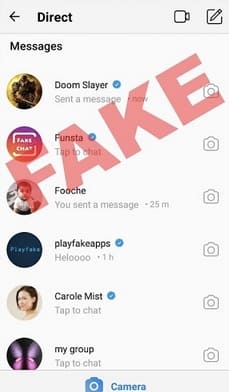
We know several methods, and we will also explain how to use them.
How to fake Instagram DMs
If you want to fake direct messages from celebrities or other people on Instagram, you can do so without installing any third-party apps using a special trick. This process is very simple, but it can only be done if you have a professional account (creator/business profile). After using this trick, you can easily switch back to a personal account.
1. By mobile phone Instagram Open it.
2. Go to the profile you want to fake your DMs on, Message button Tap it.
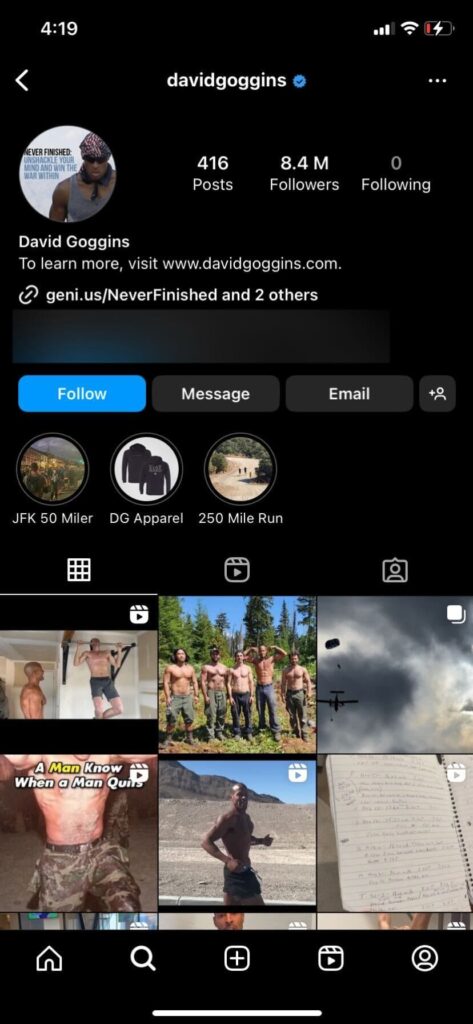
3. Enter the message you want to receive and send it.
4. Exit the conversation. On an iPhone, swipe the chat to the left.
On Android, press and hold the chat icon.
5、 Unread Tap it.
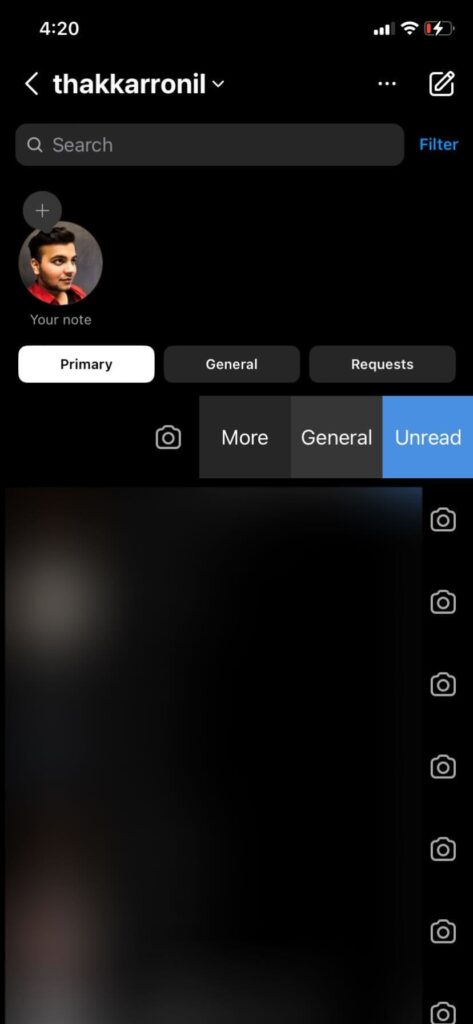
6. That's all. It should appear as a new message from that account.
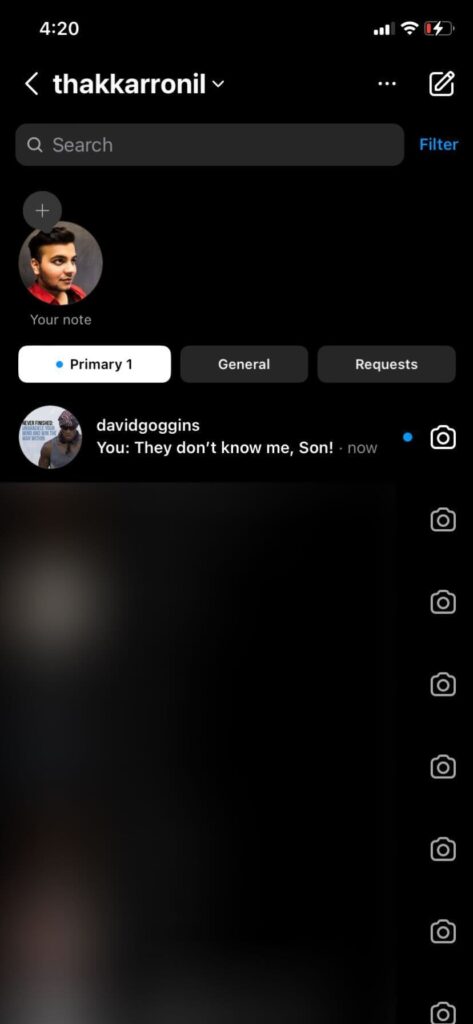
However, there's a problem with this. It's a message you sent, and in the chat list, you might only see that the message was sent. That's why you need a third-party app.
How to fake Instagram DMs using a third-party app
Ready to start creating your own hilarious fake Instagram conversations? Luckily, it's easy with third-party apps.
Funsta is a realistic fake Instagram chat app that lets you create fake conversations to share with your friends. The app is easy to use and allows for detailed customization of the screen, making it even more realistic. You can definitely fool your friends and family.
You can add fake posts and comments, create fake groups and add members, post fake stories, use the full range of emojis, and fake autoreplies. New features are added regularly, so be sure to check it out.
How do fake Instagram DM apps work?
Funsta and other apps work in a similar way. First, you enter the Instagram handle of the person you want to portray, for example, the handle of a celebrity you want to have a fake chat with.
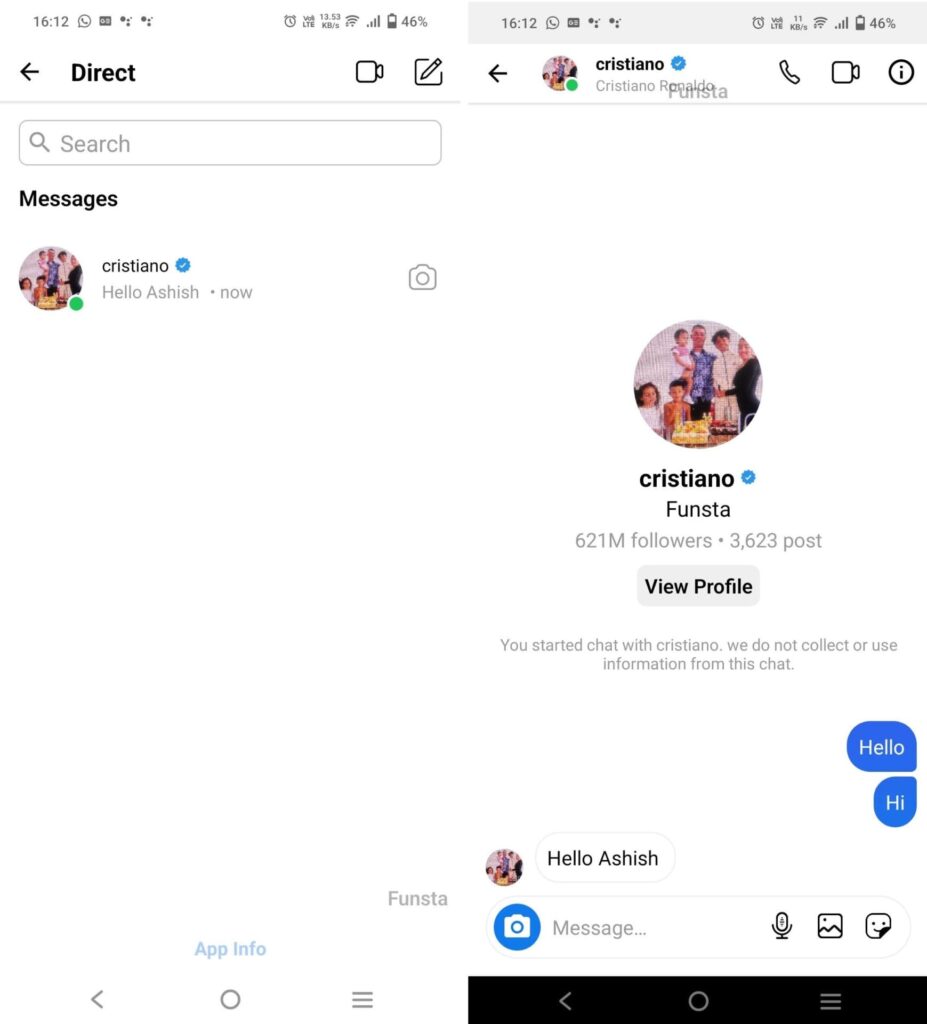
1. Open Funsta on your mobile phone. You will see an interface similar to the Instagram app.
2、 Direct message icon Tap it.
3. Select "Create Contact" and enter all the details of the person you are trying to impersonate.
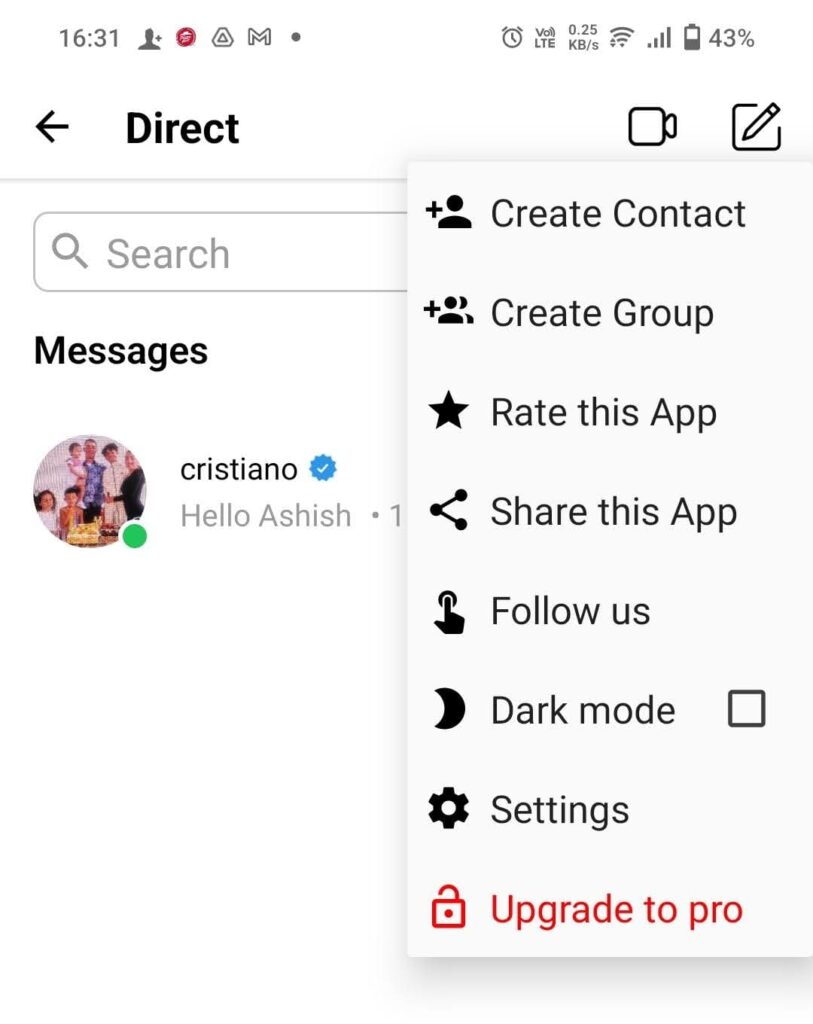
4. Once completed, contact address Open it and send a message yourself.
5. Next, enter the information again, this time using reverse sending so that it appears as if it came from a celebrity.
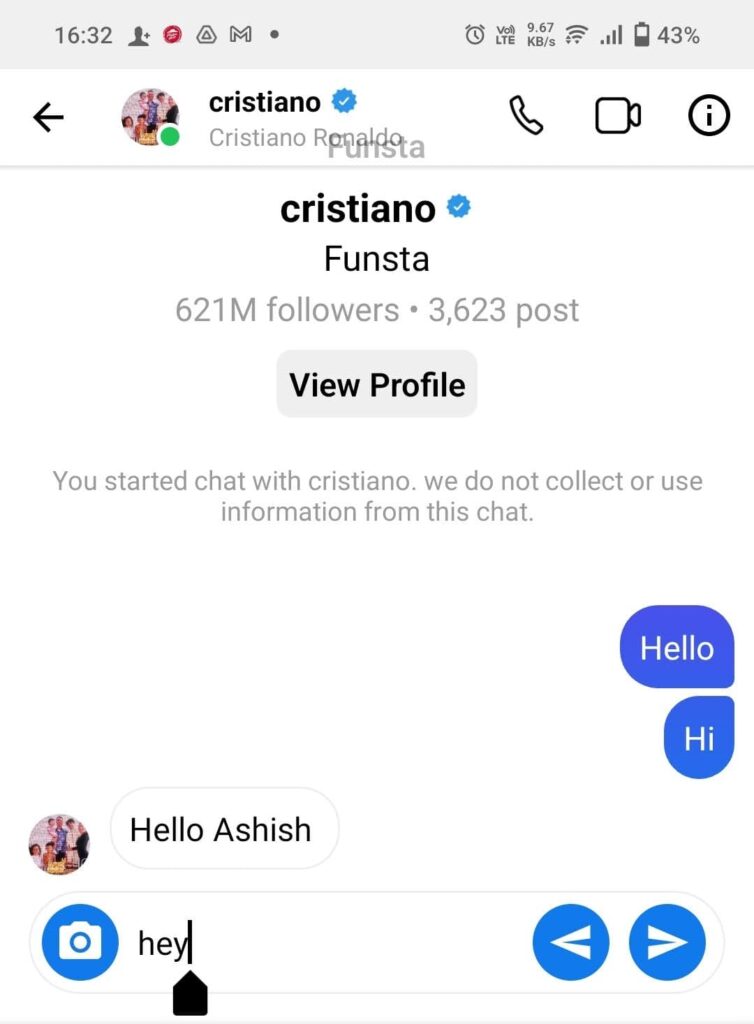
6. Finally, the upper right Information icon Tap, The screen has a total of Select one.
7、 screenshot Tap the option to take and share.
These apps are said to be in the details, allowing you to add many features to make your chats seem more authentic. This includes adding photos, videos, stories, and more. You can use them to tell harmless jokes to your friends, but you can also use them to get revenge on ex-girlfriends or ex-boyfriends, ex-bosses, neighbors, and so on.
Funsta lets you save screenshots of seemingly real Instagram chats and share them with friends and family. There are limits to what you can do with a fake Instagram DM generator; it depends on how creative you are and what you want to achieve. If you do it right, you might see some of your fake screenshots go viral on social media.
We tried many fake Instagram DM apps, but Funsta was the most fun. It looks just like Instagram Chat, has user-friendly features, and we were able to come up with a joke in minutes. You can also create fake posts and comments, create fictional groups and add members, post fake stories, and there were a variety of details that helped easily confuse our friends.
FAQ
Q. How can I get someone to send me a direct message on Instagram?
A. If you want to communicate with other users on Instagram, there are several ways to start a conversation. You can send them a DM, use stickers, react to their story and slide into a DM, ask questions in their story, or run polls.
Q. Can I edit Instagram direct messages?
A. Unfortunately, you cannot edit a direct message you have already sent to someone on Instagram. Instagram does not have an option to edit sent messages. However, if the recipient has not yet seen the message, you can unsend the message, revise it, and resend it. Press and hold the message, then tap "Unsend."
Q. What is the problem with Instagram's direct messages (DMs)?
A. In case you were unaware of the glitch with Instagram's DMs, you can fake an Instagram DM to make it appear as if you received a text message from a celebrity or someone on the platform.