

Losing access to your Snapchat account is disappointing, especially for hyperactive individuals. There are several reasons why Snapchat might lock your account, including temporary or permanent bans.
Thankfully, there are several ways to recover a locked Snapchat account. But you might be wondering how to do it? This guide will explain in detail how to recover a locked Snapchat account and what you can do to prevent it from happening again.
Why Snapchat locks your account
There are many reasons why Snapchat might lock an account. These include violating the platform's guidelines or using it for illegal activities. Snapchat's guidelines list the following as reasons for banning an account:
- Sending spam: They frequently send one snap after another without indicating that the other person wants it.
- To participate in bullying: If you bully someone on Snapchat, they can report you, and Snapchat will take action. Your account may even be permanently banned.
- Posting explicit content: Like most social media platforms, Snapchat does not allow users to post explicit content. Posting explicit content to your Stories violates Snapchat's guidelines.
- Hate speech: Another reason Snapchat might have locked your account is for posting negative comments on sensitive topics or spreading hate speech.
- Threats: Similar to bullying, threatening someone on Snapchat can result in your account being locked.
- Use of unauthorized third-party apps: Snapchat only allows the use of certain third-party screen saver apps. Using unauthorized apps may result in your account being temporarily banned.
In addition, if you try to add many people without prior confirmation, Snapchat may ban your profile. You may be adding friends on Snapchat, but the platform considers this behavior to be spam.
To avoid this, you will need to verify your Snapchat account using your email address or phone number.
1. Snapchat Start it up, profile Tap the icon (Bitmoji).
2. At the top of the profile setting Tap the Options icon (gear icon).
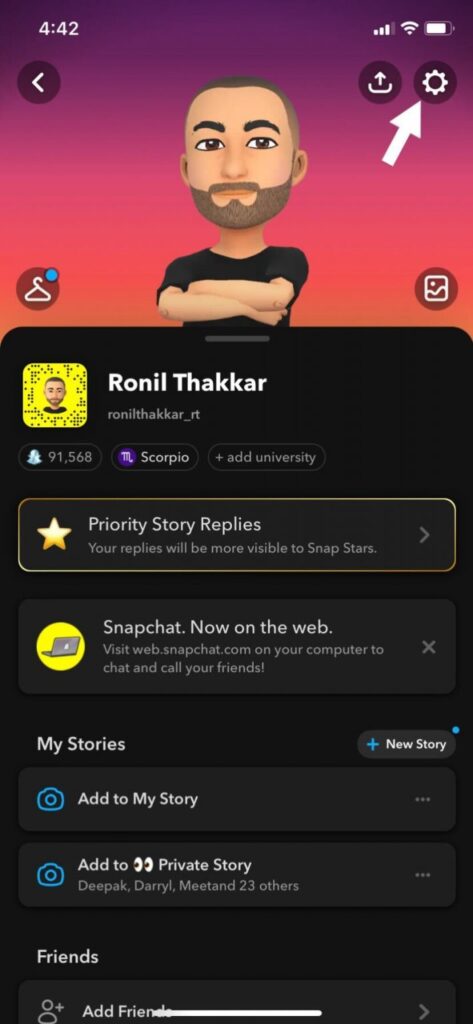
3. Select the email address/phone number option to receive a verification code.
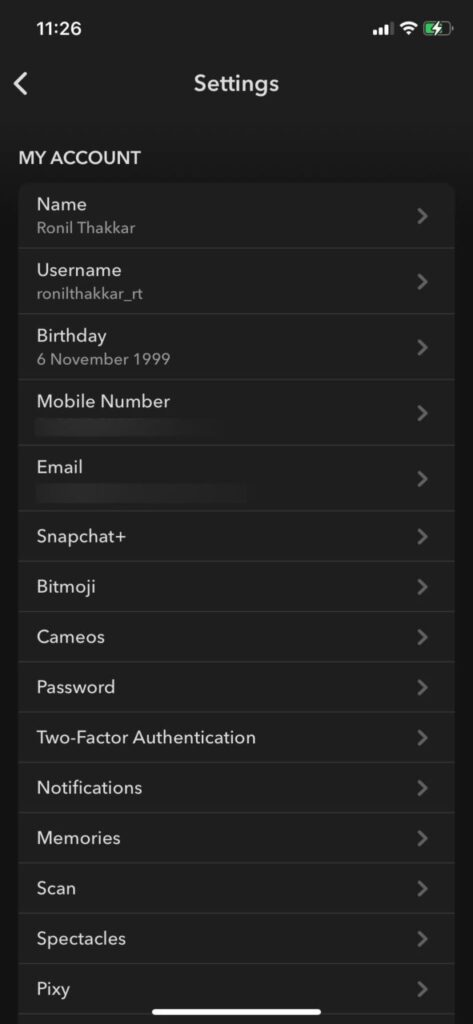
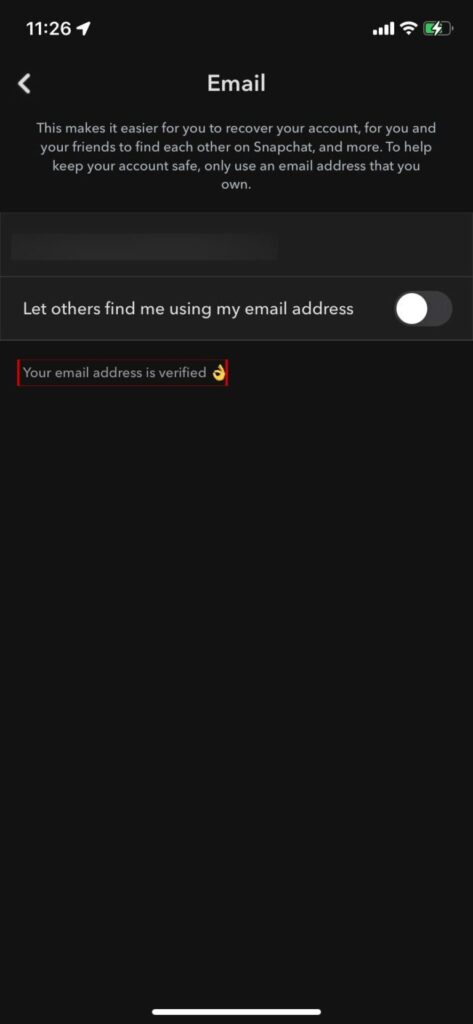
Enter the verification code you received via email or phone number to verify your account.
3 ways to recover a locked Snapchat account
Now that you know why your Snapchat profile was locked, let's recover your account. Not all of the methods described below will work for everyone; situations may vary.
1. Manually unlock your account.
If Snapchat permanently bans your account, you will not be able to open a new one. In extreme cases, Snapchat may even completely block your device from the platform.
However, if your Snapchat account is temporarily locked, you will need to check in through the app or website and select "Unlock." To avoid repeating the same mistake and having your account permanently banned from the platform, Snapchat recommends checking why your account was locked.
2. Send the request
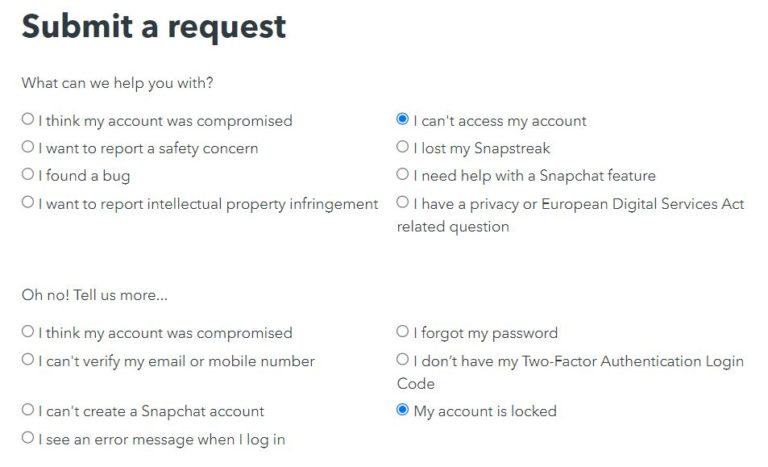
The first thing you should do when you lose access to your account is to go to Snapchat's privacy page and submit a request. In the "What kind of support do you need?" section... "I cannot access your account." Select an option. Then, in the "Oh dear! Please tell me more" section... "Your account has been locked." Select one.
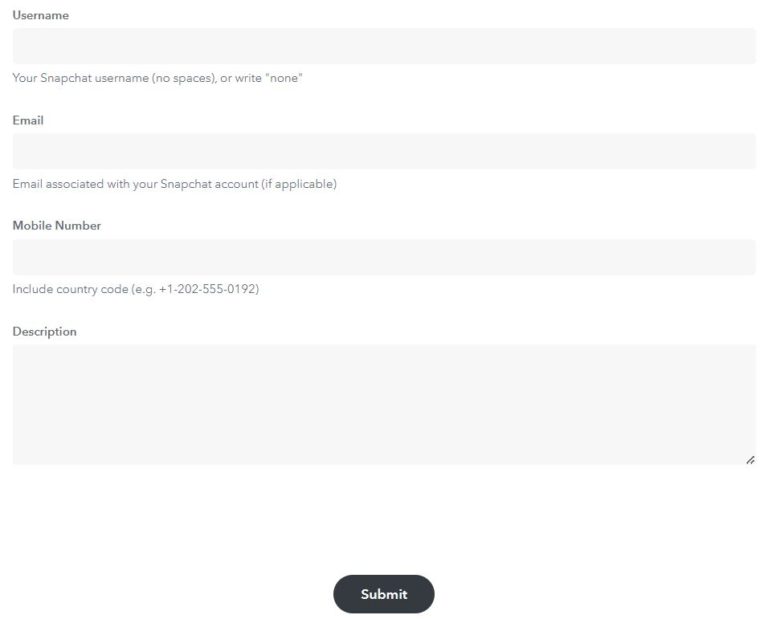
Enter your username, email address, and phone number, and describe the situation in the description box. "send" Press the button to send the request to Snapchat.
3. Create a new Snapchat account
As mentioned earlier, if your account hasn't been permanently locked, you can create a new Snapchat account at any time. You can delete your old Snapchat account and start a new one from scratch.
Creating a new Snapchat account is very easy.
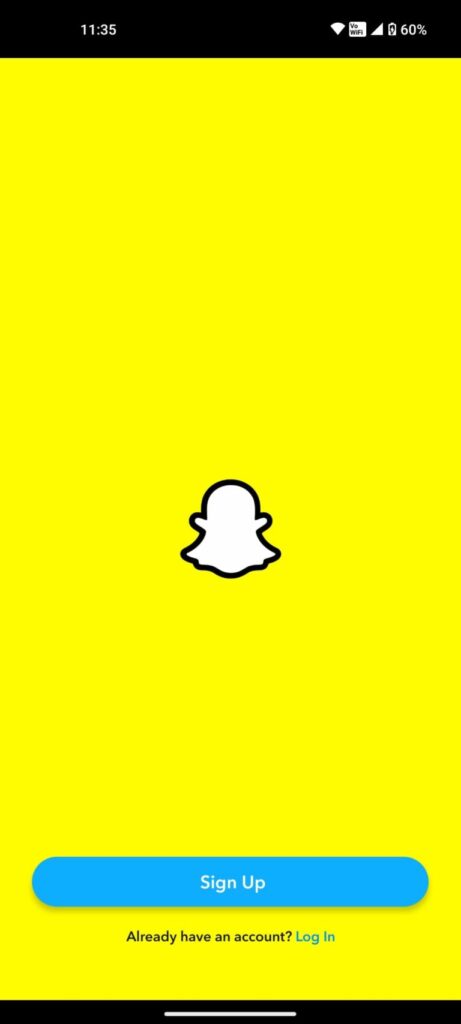
1. "sign up" Tap the button to create a new account. "Continue" Press this button.
2. Enter your name, date of birth, and username.
3. "Continue" Press this button.
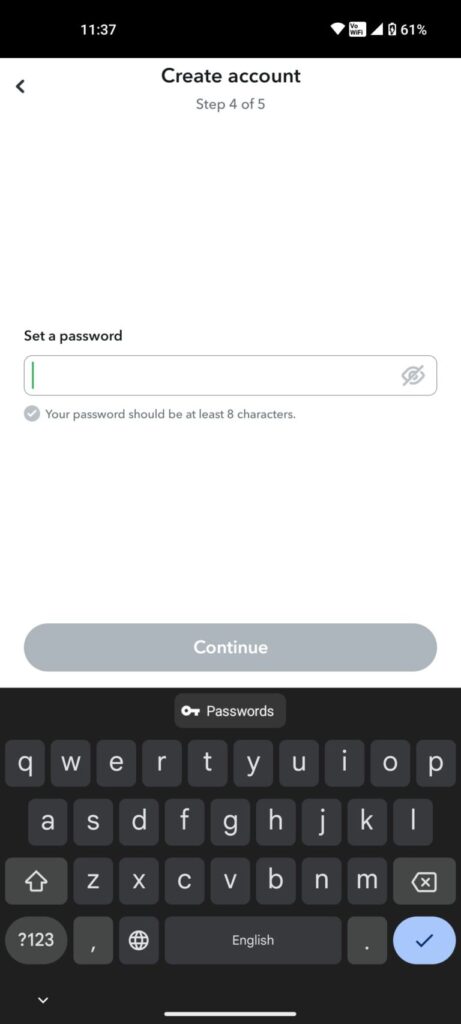
4. Enter a strong password that is easy to remember.
5. Verify your account using your email address or phone number.
If your account is temporarily locked for 24 hours, do not create a new Snapchat account. After this time, you will be able to continue using Snapchat as before.
Recover your Snapchat account
Read the guide above to find out why Snapchat bans accounts and how to recover a locked profile. This will help you better understand Snapchat's guidelines and what you need to do to avoid having your account banned in the future.
FAQ
Q. Can I recover my locked Snapchat account?
A: Yes, you can recover your locked Snapchat account. Use the unlock option that appears when you log in through the app or website. Before signing in again, please review Snapchat's guidelines to ensure this doesn't happen again.
Q. Will a locked Snapchat account be deleted?
A: No, locked accounts are not deleted from Snapchat's servers. Your account was banned because your actions violated Snapchat's guidelines.
Q. How long does Snapchat lock an account?
A: In most cases, a Snapchat ban only lasts for 24 hours. After this period, your account will function as before the ban.
Q. How do I contact Snapchat?
A: Normally, you can contact Snapchat support through the app. However, if you can no longer access your profile, you can contact Snapchat support by visiting the Snapchat support page in a web browser.